Finite Element Simulation with FreeFEM and Machine Learning
A free course in which you write the solver first, check it against answers you can work out by hand, and only then train a neural network to imitate it. Because a simulation nobody verified is just an expensive picture.
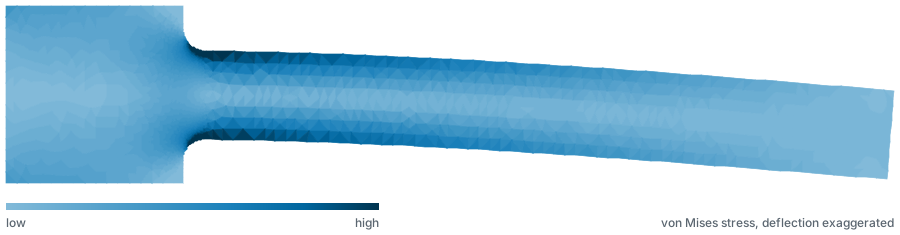
What you build
- A finite element solver in FreeFEM for heat conduction, linear elasticity and viscous flow, verified against exact solutions and a published benchmark.
- A data generator, by driving that solver over a parameter sweep and keeping what it produces.
- A neural surrogate in PyTorch trained on that data, together with an honest map of where it stops being trustworthy.
Every exercise is graded on a number you compute yourself
Each lesson ends in one value you produce by running code on your own machine: a maximum displacement, an observed convergence order, a drag coefficient, a test error. You type it in and the server checks it against the value measured when the lesson was written.
Nothing here can be passed by reading. There is no multiple-choice final, no participation credit and no video to sit through. The concept checks inside lessons are ungraded practice and gate nothing.
Who this course is for
Engineers and graduate students who can program, have met calculus and linear algebra, and want to know whether a simulation result is right rather than only how to produce one. You need a machine that runs FreeFEM and a browser for the training half, which uses Colab.
It is the wrong course if you want a tour of a commercial GUI, or a machine learning course with the physics left out, or a credential without the work behind it.
The 11 modules
1. Setup and the FreeFEM language
Installing FreeFEM, building a mesh from parametrised borders, orientation and holes, P1 and P2 elements, integrating over a mesh.
2. From strong form to weak form
Integration by parts, the Galerkin step, essential and natural boundary conditions, what on() does to the matrix, the weak form of linear elasticity.
3. Poisson, solved and verified
Writing a solve block from a weak form, the method of manufactured solutions, the L2 and H1 norms, measuring an observed convergence order, and the two different reasons a refinement study comes back wrong.
4. Linear elasticity and the cantilever
Where beam theory stops working, plane stress against plane strain, why linear elements are the wrong tool for bending, a peak stress that does not exist at all, and the filleted geometry the rest of the course is built on.
5. From solver to data generator
Promoting fixed dimensions to variables, proving that three of the six parameters are not worth a single sample, why a Halton sequence beats a grid at this budget, a sweep of fifteen hundred solves written as one file, and the meshing noise that puts a floor under every model built on the result.
6. A first surrogate in PyTorch
Fitting a four-parameter power law before any network, the row split that a low-discrepancy sequence breaks, tensors and the loop that trains them, the standardisation without which an MLP barely works, early stopping on a validation curve, and the arithmetic that decides whether the surrogate was worth building.
7. Making the surrogate honest
Drawing the learning curve before buying the data rather than after, sorting residuals by every input instead of the one you suspect, a noise floor that turns out to be a range rather than a number, five architectures that all land in the same place, and the ten coefficients that come close enough to the network to raise the question of whether it was worth building.
8. Where the surrogate stops being trustworthy
Holding data out by geometry rather than at random, a network that is more than twenty times worse outside the box it was trained on, two crude models that degrade at the same modest rate whatever their accuracy, a prediction interval with a distribution free guarantee behind it, that guarantee covering none at all of the sharpest fillets in the dataset, and a retrained model whose overall coverage comes back while the region you care about does not.
9. Flow, against a benchmark you cannot fudge
Stokes and then Navier-Stokes, why not every element pair works, Newton and what the nonlinear term is worth, two ways to compute the same force, and drag and lift on a cylinder checked against a published benchmark.
10. The surrogate that pays for itself
A sweep you have to wait for, a transformation that worked before and does not now, deciding how much data to buy before spending it, speedup at fixed accuracy, and what limits the surrogate after that.
11. Capstone: plate with an elliptical hole
A plate with an elliptical hole, an analytic solution to fit before any network, a thousand-case sweep, a prediction interval on a problem you built yourself, and what giving the network the physics buys.

What exists today
The course is being written in the open. 38 of its 57 lessons are published, covering 8 of 11 modules. The remaining modules, the 20 question final examination and the certificate are not built yet, and there is no date for them.
Every answer key in the published lessons was measured before the lesson was written around it, on FreeFEM 4.17 for the finite element half and on PyTorch 2.13 for the machine learning half. Where a measurement contradicted the plan, the plan changed.
Questions people ask first
What does it cost?
Nothing. There is no payment page, no card is ever collected, and there is no paid tier that the free one is a sample of.
What software do I need?
FreeFEM 4.17, which is free and open source, on Windows or Linux. macOS has no installer after 4.15, so Mac users run it through Docker. The machine learning half runs in Google Colab, so no local PyTorch install is required.
How long does it take?
An estimated 67 hours. That figure is a notional learning hours estimate built from stated per-lesson assumptions, not a measurement, because nobody has yet walked the course with a clock.
Is the certificate accredited?
No. It is a statement that you completed this course and passed its examination, carrying a serial that anyone can check against the verification page. It is worth what the exercises behind it are worth, which is why they cannot be passed without running the code.